Web App Overview
The Flowingto web app is the visual workspace for collecting app screenshots, reviewing screens, building flows, and comparing design states.
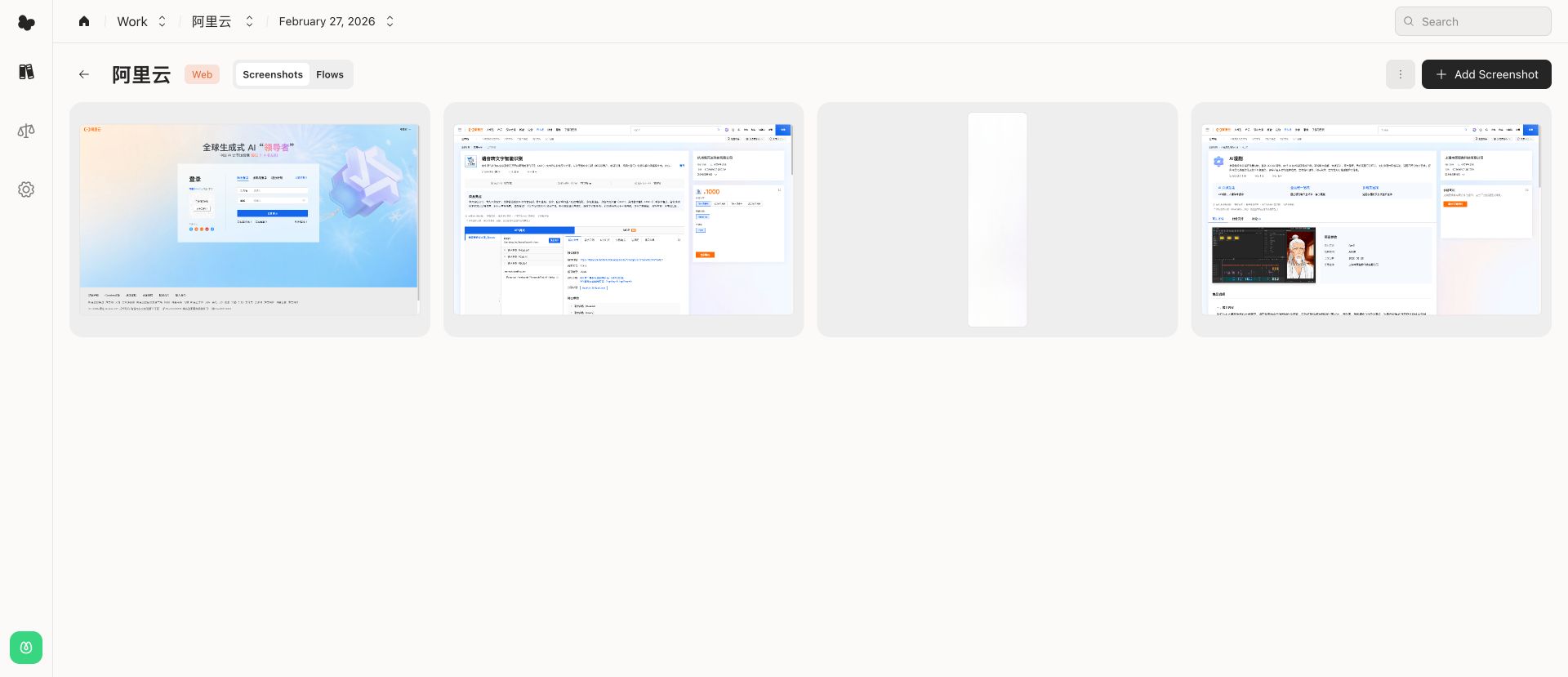
Main areas
- Workspaces group your collections and members. Use the workspace switcher to move between teams or projects.
- Collections hold screenshots for one app, platform, or product surface.
- Versions separate screenshot sets over time, such as a release, design pass, or dated capture.
- Screenshots are the individual screens you upload and review.
- Flows arrange screenshots into an ordered path, such as onboarding, checkout, or sign-in.
- Compare creates a separate side-by-side space for comparing designs across apps, platforms, or versions.
- Search finds screenshots, collections, flows, and tags across the current workspace.
Basic workflow
- Open a workspace.
- Create or choose a collection.
- Upload screenshots into the active version.
- Review screenshots in the viewer.
- Create flows for important journeys.
- Use Compare when you need side-by-side review.
Navigation
The left rail gives quick access to the workspace list, the current workspace's compare area, account settings, and search. Collection pages add a breadcrumb for the current collection and version so you can move between the collection grid, flows, and settings.