Screenshots
Screenshots are uploaded into the active version of a collection.
Upload screenshots
Open a collection version and choose Add Screenshot.
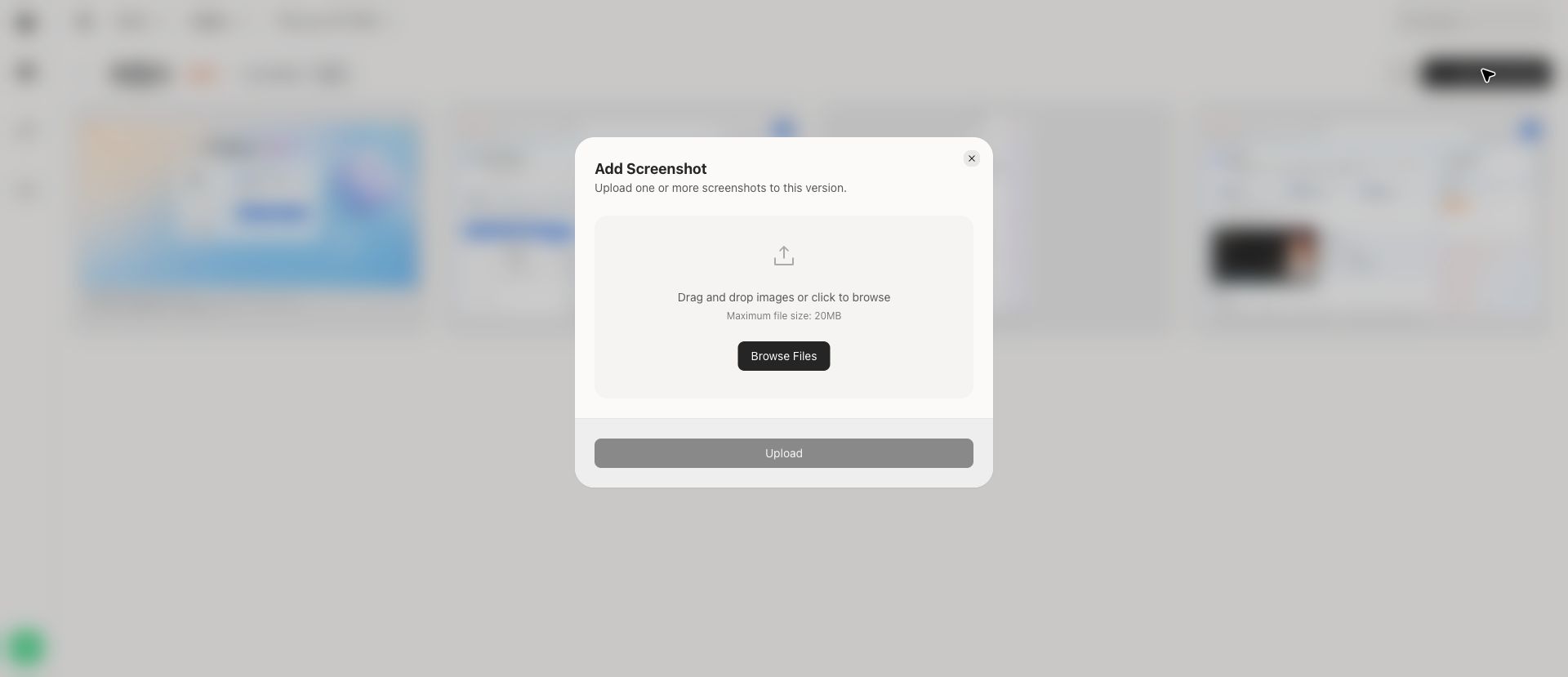
You can drag image files into the upload area or choose Browse Files. The upload dialog accepts one or more images and shows the upload action after files are selected.
Browse screenshots
The screenshot grid shows each screen's title and preview image. Use the search field on the collection page to narrow visible screenshots in the current collection.
Screenshot viewer
Open a screenshot to enter the viewer.
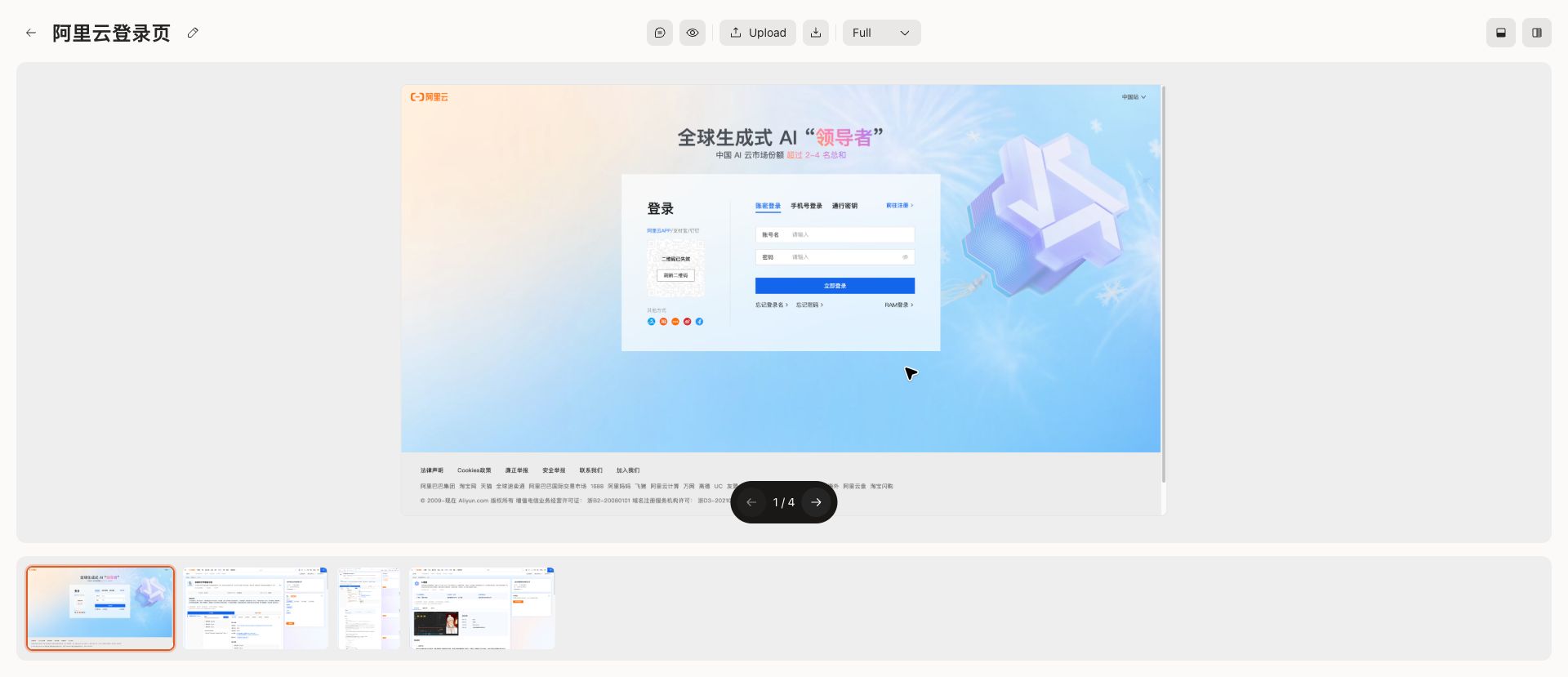
The viewer includes:
- Main screenshot canvas
- Previous and next navigation
- Thumbnail strip
- Reorder controls
- Delete controls
- Upload action
- Zoom mode selector
Use the thumbnail strip to move between screenshots in the same version without returning to the grid.