Alternatives · Mobbin
A Mobbin alternative for the screenshots your team collects
Mobbin is a great curated library of shipped app designs. Flowingto takes a different approach: it is a collaborative screenshot database for the screens your team collects itself, including logged-in states, competitor journeys, and your own product versions.
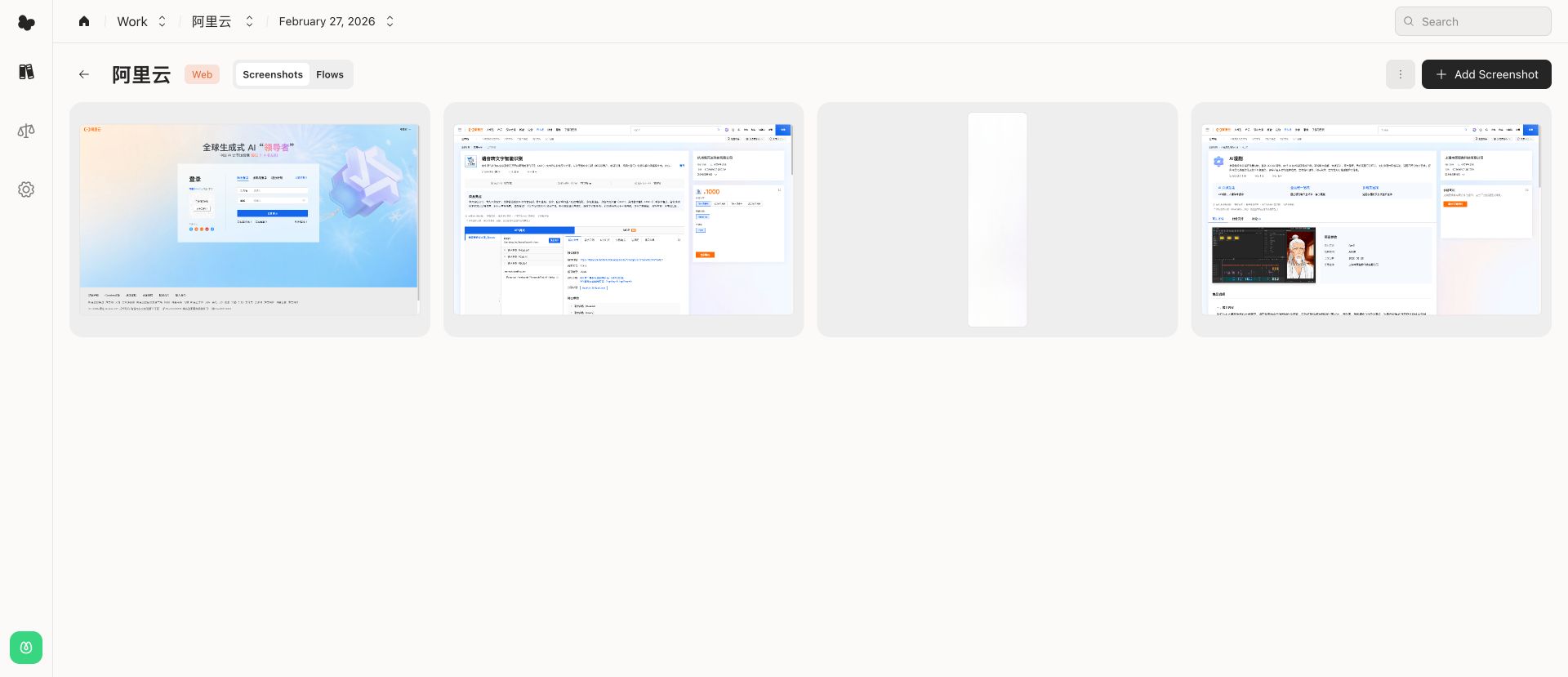
Two different jobs: discovery and ownership
Mobbin is built for discovery: a large, curated catalog of screens, patterns, and flows from real apps. It is fast when you want to see how well-known products solve a common problem.
Flowingto is built for ownership. Instead of browsing someone else's catalog, your team builds a structured library from the screens you actually need, and keeps the context behind them.
When Flowingto is the better fit
Teams usually look for a Mobbin alternative when the reference they need is not in the library, or when they need to keep references alongside their own product decisions.
- Capture states a public library cannot show: onboarding after sign-in, paywalls, regional variants, internal tools
- Track competitors and your own app across versions, platforms, and releases
- Connect screens into user flows and click through them like a prototype
- Pin comments and hotspots so feedback stays on the exact screen
- Put screens from different apps or versions side by side in compare boards
- Collect automatically with the CLI, from scripts or coding agents
When Mobbin is the better fit
A curated library is still the right tool for some tasks.
- You want curated examples from shipped products without collecting anything yourself
- You need to search common UI patterns across many apps quickly
- You are gathering broad inspiration before a project starts
Flowingto vs Mobbin at a glance
| Criteria | Flowingto | Mobbin |
|---|---|---|
| Best for | Building your team's own screenshot database | Browsing a curated library of shipped apps |
| Where screenshots come from | You collect them: uploads, browser extension, video import, CLI | Mobbin's editorial team curates them |
| Logged-in, personalized, or internal screens | Yes, anything you can see you can capture | Limited to what the library has captured |
| Your own product's versions | Organize by app, platform, and version | Not designed for your own unreleased work |
| Team context | Shared workspaces, roles, comments, and hotspots | Collections for saving references |
| Automation | CLI for scripts and coding agents | Browsing and search in the app |
| Pricing | Free during beta | See Mobbin's pricing page |
Frequently asked questions
- Is Flowingto a good Mobbin alternative?
- Yes, if what you need is a library of your own screenshots rather than a curated external catalog. Flowingto lets you collect, organize, version, annotate, and compare the exact screens your team cares about.
- Can I use Flowingto and Mobbin together?
- Many teams do. Mobbin is useful for quick external inspiration; Flowingto is where you keep the references, competitor captures, and product states that matter to your own work.
- Can Flowingto store screens behind a login?
- Yes. Because you capture screenshots yourself, Flowingto can hold authenticated, personalized, regional, and internal screens that a public library cannot show.
- Who owns the screenshots in Flowingto?
- You stay in control. You can download every screenshot from your collections at any time, so your library is never locked in.
- How much does Flowingto cost?
- Flowingto is free during beta. Paid plans and any usage limits will be announced before anything changes.
Build a screenshot library you own
Start a workspace, capture the screens you need, and keep them organized by app and version. Free during beta.