Use cases · Competitive analysis
Competitive UI analysis on a library your team owns
Run competitive UI analysis on a library your team owns. Capture competitor screens, including logged-in and paywalled states, organize them by product and release, map their key journeys, and compare them with your own app.
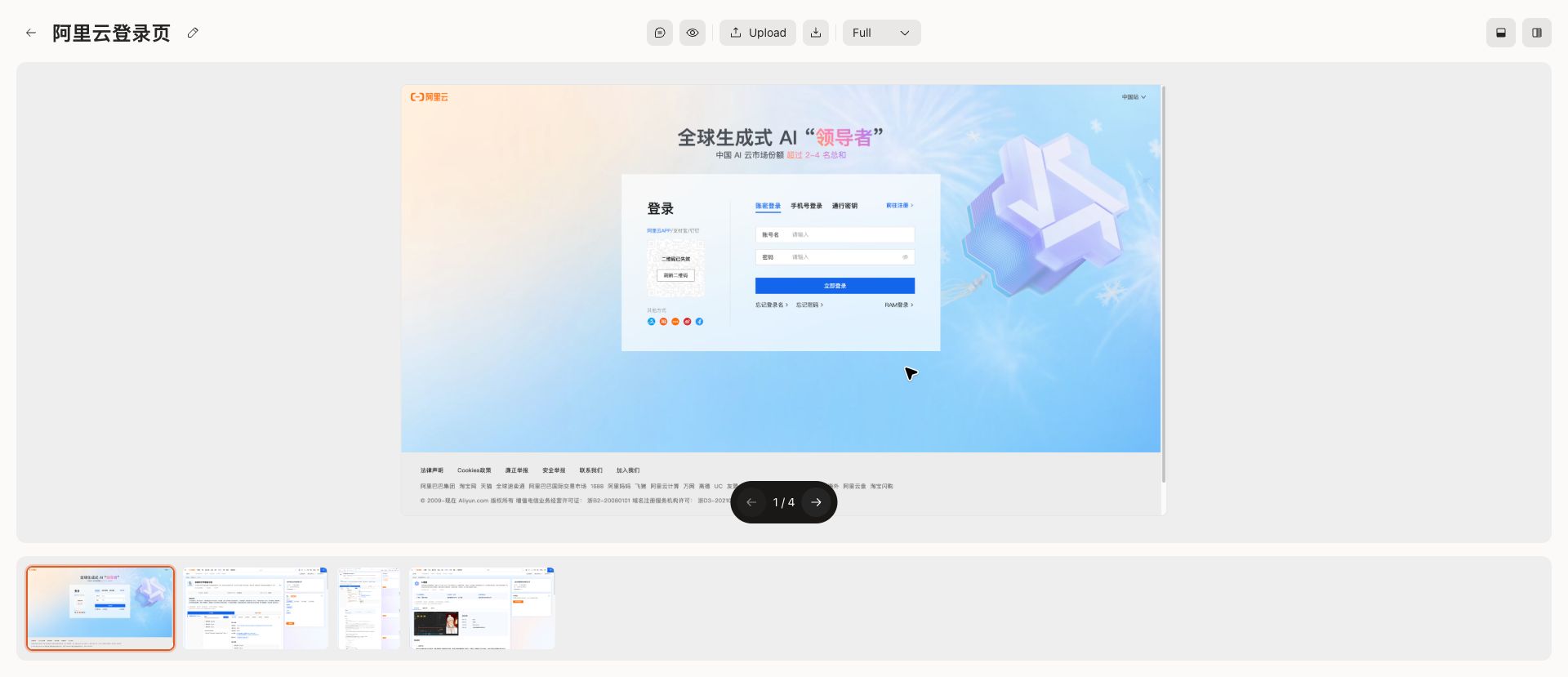
Why competitor research gets lost
Competitor research usually starts with good intentions and ends as a folder of unnamed screenshots, a slide deck, and a few links in chat. Six months later, nobody can tell which release a screen came from or what the team concluded.
A competitive analysis is only reusable when the evidence stays organized: which product, which platform, which version, and what the team noticed.
How Flowingto supports competitive analysis
Flowingto gives competitor research a structure that lasts beyond a single project.
- Capture any screen you can see, including onboarding after sign-up, paywalls, and settings
- Organize competitors by collection and each release by version
- Map competitor journeys such as sign-up, checkout, and upgrade as user flows
- Compare competitor screens with your own product side by side
- Pin comments and hotspots so observations stay on the screen they describe
- Keep the whole team working from the same library
Where to start
Start with the journeys that most affect your product's goals.
- Onboarding and activation
- Pricing pages and paywalls
- Checkout and upgrade
- Empty states and first-run experiences
- Navigation and information architecture
- Settings, permissions, and account management
How to run a competitive UI analysis
1
Set up the structure
Create a collection for each competitor, with versions for each release or platform.
2
Capture the screens
Use the browser extension, video import, uploads, or the CLI to capture the journeys you care about.
3
Map and annotate
Turn key journeys into user flows and annotate what works and what does not.
4
Compare and decide
Put competitor screens next to your own in compare collections and decide what to change.
Frequently asked questions
- What is competitive UI analysis?
- Competitive UI analysis is the practice of collecting and reviewing competitors' interfaces, such as onboarding, pricing, and checkout, to understand their decisions and find opportunities for your own product.
- How do I collect competitor screenshots?
- Capture pages with the browser extension while you use the product, import a screen recording and keep the key frames, upload existing images, or automate collection with the Flowingto CLI.
- Can I capture screens behind a login?
- Yes. Because you capture screenshots yourself, you can keep logged-in, personalized, paywalled, and regional states that public design libraries do not show.
- How do I track competitor UI changes over time?
- Organize each competitor as a collection and each release as a version. When the product changes, add a new version and compare it with the previous one.
- How much does Flowingto cost?
- Flowingto is free during beta. Paid plans and any usage limits will be announced before anything changes.
Build your competitor screenshot library
Capture competitor screens, organize them by version, and turn them into flows and comparisons your team can reuse. Free during beta.